


Close Menu
Philstar Tech
    • Deals
    • Contact Us
    • About Us
    Philstar Tech
    • Home
    • All Post
    • News
      • Features
    • Tech @Life
    • Reviews
      • Fitness
      • Laptops
      • Mobility
      • Smartphones
      • Wearables
    • Opinion
    • Latest Issue
    Philstar Tech
    Home » How to download your encrypted Instagram chats
    Features

    How to download your encrypted Instagram chats

    Marlet SalazarBy Marlet SalazarMarch 16, 20262 Mins Read
    Facebook Twitter Pinterest LinkedIn Tumblr Email
    Instagram - PhilSTAR Tech
    Share
    Facebook Twitter LinkedIn Pinterest Email

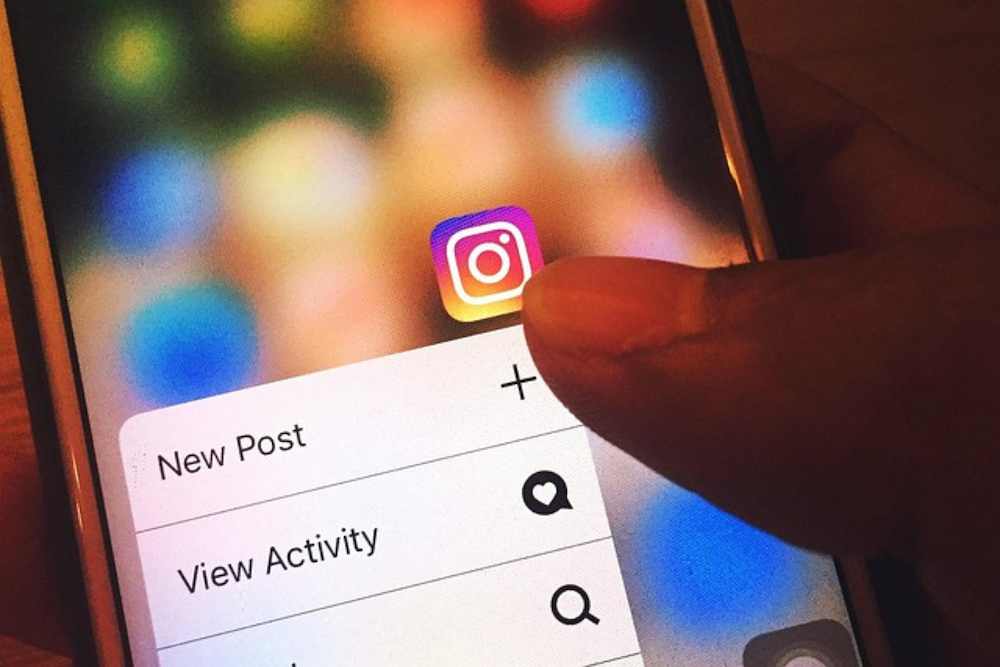
    Instagram, the social media platform owned by Meta, said it will stop supporting end-to-end encrypted chats starting May 8, 2026. Users who enabled the feature can download messages and media they want to keep.

    The change affects conversations protected by end-to-end encryption, a security feature that ensures only devices holding the correct cryptographic keys can read messages or access shared media. Once the feature is discontinued, encrypted conversations stored under the system may no longer be accessible.

    “If you have chats that are impacted by this change, you will see instructions on how you can download any media or messages you may want to keep,” the company said in its Help Center.

    End-to-end encryption works by assigning each device in a conversation a unique security key. These keys protect messages, calls, and shared media such as photos, videos, and files. Participants can also compare keys with one another to verify that messages and calls remain secure.

    Users who want to retain copies of their encrypted conversations can download the data from secure storage. Instagram said the downloadable archive may include messages sent and received, along with attachments such as files, images, and other media exchanged within encrypted chats.

    Some users may need to update the Instagram app before requesting their data, particularly if they are using an older version that does not support the download process.

    Users who have enabled secure storage can request a copy of their encrypted messages by following these steps:

    1. Click Menu in the bottom-left corner of Instagram.
    2. Select Your Activity.
    3. Scroll down and click Download End-to-end Encrypted Data.
    4. Click Next.
    5. If the device is not authenticated, enter your PIN.
    6. Enter your Instagram account password.
    7. Click Request download.

    Once the request is processed, the data file will be prepared and made available for download through a web browser.

    Instagram Instagram chats Instagram encrypted chats meta
    Share. Facebook Twitter Pinterest LinkedIn Tumblr Email
    Marlet Salazar

    Related Posts

    Instagram finally settles what happens when you unlike an old post

    July 30, 2026

    From quiet roots to international stadiums: The evolution of esports In the Philippines

    July 28, 2026

    Planned obsolescence built the tech industry. Can it survive without it?

    July 28, 2026

    Most Popular

    Instagram finally settles what happens when you unlike an old post

    July 30, 20262 Mins Read

    Facebook rolls out free verification badges for users

    July 29, 20262 Mins Read

    Win one of 101 HONOR gadgets with just one comment

    July 24, 20262 Mins Read

    Marcos says PH will launch its own rocket in 2027

    July 27, 20261 Min Read

    Shokz OpenDots 2 debuts in PH, priced at PHP 12,990

    July 29, 20262 Mins Read

    Review: The travel gadgets that proved useful when my suitcase almost went missing

    July 30, 20266 Mins Read

    Latest

    Color Game Ultimate Jackpot crosses P100-million mark

    By PhilSTAR Tech TeamJuly 31, 20262 Mins Read

    REVIEW: Ctrl + Opt + Out

    By AJ GabrielJuly 30, 20264 Mins Read

    Instagram finally settles what happens when you unlike an old post

    By Dawn SolanoJuly 30, 20262 Mins Read

    Review: The travel gadgets that proved useful when my suitcase almost went missing

    By Dawn SolanoJuly 30, 20266 Mins Read

    Shokz OpenDots 2 debuts in PH, priced at PHP 12,990

    By Nick James ArillaJuly 29, 20262 Mins Read

    Facebook rolls out free verification badges for users

    By Dawn SolanoJuly 29, 20262 Mins Read
    Copyright © 2026 Philstar Tech | Powered by The Philippine STAR

    Type above and press Enter to search. Press Esc to cancel.