


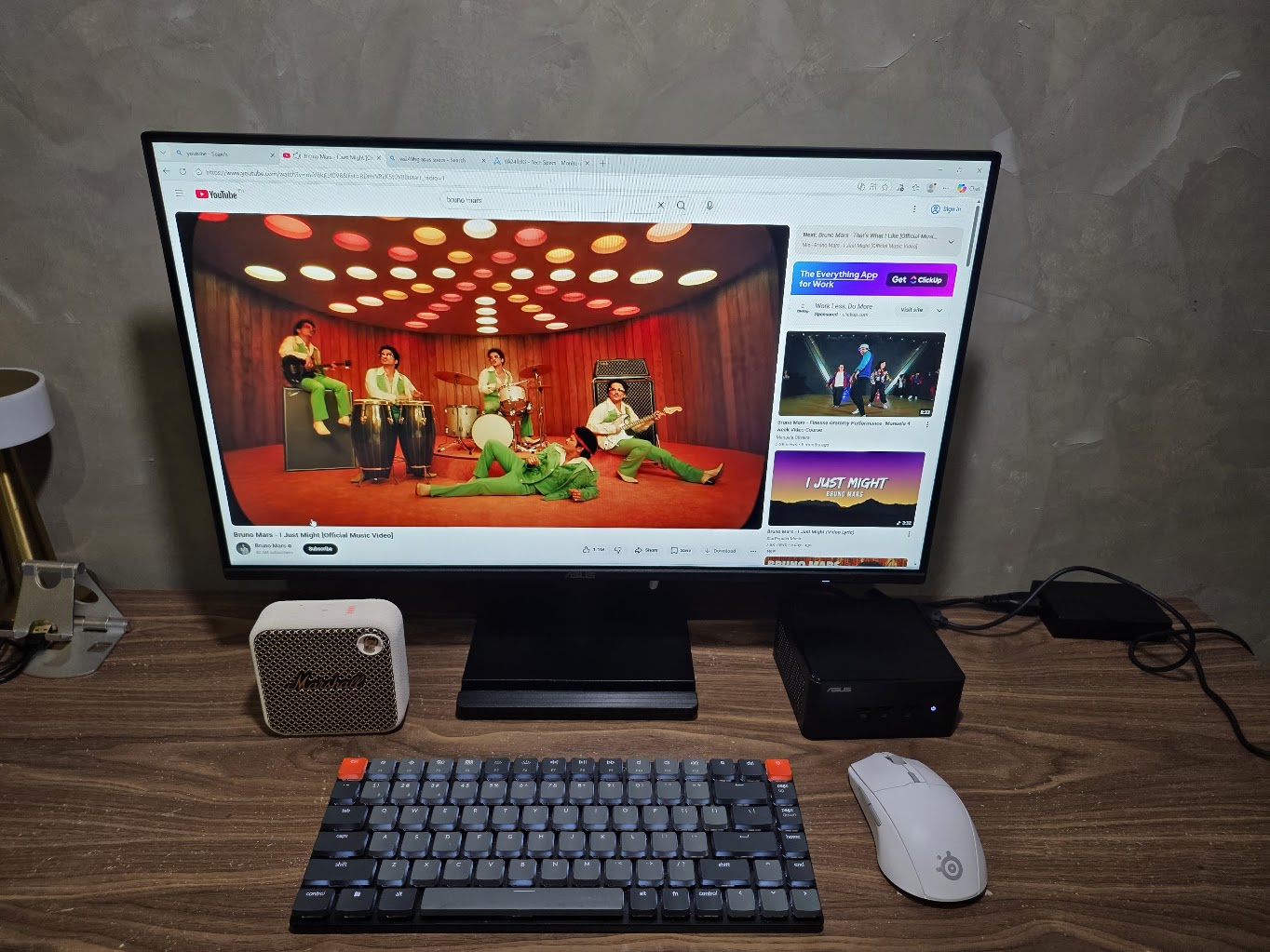
In most corporate offices or modern BPOs, the desk is a battlefield for space. We’ve all seen the mess: a bulky tower taking up legroom, a tangle of cables, and a monitor that feels like it’s barely holding onto its real estate. This is the context where the ASUS NUC 15 Pro makes its most grounded argument.
Several years ago I would have probably ignored these small form factor PC’s (or SFFPC for short) because in the traditional sense, small = unremarkably bland. This is the type of computer you would use to check your email or write a Word document. But times have changed. The industry has taken a second look at these SFFPC’s and given them the thumbs up for portability, space saving, and yes apparently power!
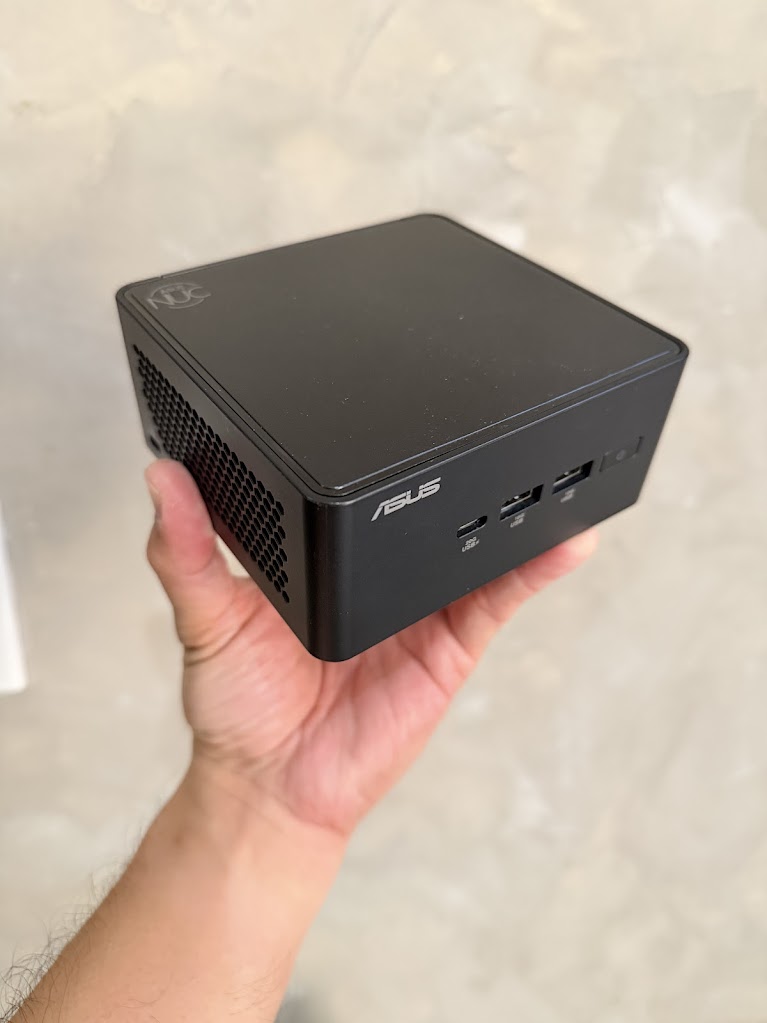
Performance vs. Typical Workload
For a typical office environment—think spreadsheets, simultaneous browser tabs, and constant video calls—the NUC 15 Pro doesn’t just “handle” the load. It’s built on the Intel Core Ultra (Series 2) architecture, delivering up to 99 platform TOPS for AI-driven tasks.
In a BPO or corporate setting, this translates to stability. With Wi-Fi 7 support, it handles high-capacity streaming for 16 simultaneous devices, which is critical in open-plan offices where bandwidth is a shared commodity.
To give a real-world example, I am able to run Wuthering Waves on medium settings with almost no lag via WiFi. This is because the Intel Arc graphic 140T presents itself secretly as a decent on-board graphics card. To put it into perspective, the 140T is roughly 30% faster overall compared to the 140V – which is the default video card of gaming handhelds like the MSI Claw and the on-board graphics of the Lenovo Yoga 9i Aura Edition. What you essentially get is a mid-casual gaming rig that can run mid-tier games at medium settings.
The Lifecycle Insight: Upgradability
In my experience, the biggest friction point with compact systems is that they are usually “frozen” in time—what you buy is what you’re stuck with. ASUS addresses this with their Tool-less Design 2.0. A simple spring-loaded lever allows you to open the chassis with one hand.
For an IT admin in a hotel or a small shop, this is a major win for maintenance:
- Memory: Two SODIMM slots supporting up to 96GB of DDR5-6400.
- Storage: A primary PCIe Gen 5 NVMe slot and a secondary M.2 slot for expansion.
- Accessories: The “Tall” SKU even allows for adding a second LAN port or an RS232 serial port for industrial or specialized retail setups.
Mounting and Versatility
The NUC’s real-world consequence is felt when you pair it with an ASUS Monitor. It comes with a VESA mounting bracket in the box. By sliding the NUC onto the back of the monitor, you effectively create an “all-in-one” system. This is ideal for mall displays, cafes, or hotel front desks where a clean, professional look is mandatory.
It also supports Headless Display, meaning it can operate without a physical monitor. For server environments or remote management in a B2B setup, it’s a tool that works in the background without needing constant attention.
Target Market Observations
- BPO & Corporate: Scalable growth with enterprise-grade security via Intel vPro and fTPM 2.0.
- Hotels & Cafes: Small footprint and quiet cooling using fluid dynamic bearing fans make it invisible to customers.
- Mall & Shop Displays: Capable of driving up to four 4K displays simultaneously through Thunderbolt 4 and HDMI 2.1.
The trade-off here is clear: you are sacrificing the bulk of a traditional tower for a modular system that is easier to fix, faster to deploy, and takes up zero desk space when mounted. Whether a business chooses to invest in this compact future depends on how much they value that regained square footage. For such a small box, you get both Bluetooth and WiFi-7 connectivity allowing you to go completely wireless for peripherals as seen in the photo above where my mouse, keyboard, speakers are all connected wirelessly via Bluetooth and 2.4GHz dongle.
Availability
The ASUS NUC 15 Pro and its variants are available at the following stores below. Price starts at P31,000. The ASUS VA 249 23.5″ monitor sells for P6,950.
- Computechnologies
- GR8 Tech
- Uzaro Solutions
- Veratech
- Unison
- Infinitecom
- Intellismart
- Microgenesis
- Challenge Systems
- Xymbolic
- Canwest
- PC Express
- Infoworx
- Complink
- Villman
- I-Tech
- Easy PC
- Dynaquest
- Thinking Tools
- Gaisano Cebu
- Wired Systems
- Metro PC
- Acelogic
- Perfecstar
- MF Computers
- Millenial
- DFE
- Computerworld
